Reference
Shop and Add-Ons
Reference for the Shop page: buying additional connections and account groups, removing ads, checking your current counts, and how purchases are applied.
Last verified
The Shop page is where you purchase add-ons to expand your TradeCopier installation: additional broker and prop firm connections, additional Account Groups, and the option to remove ads.
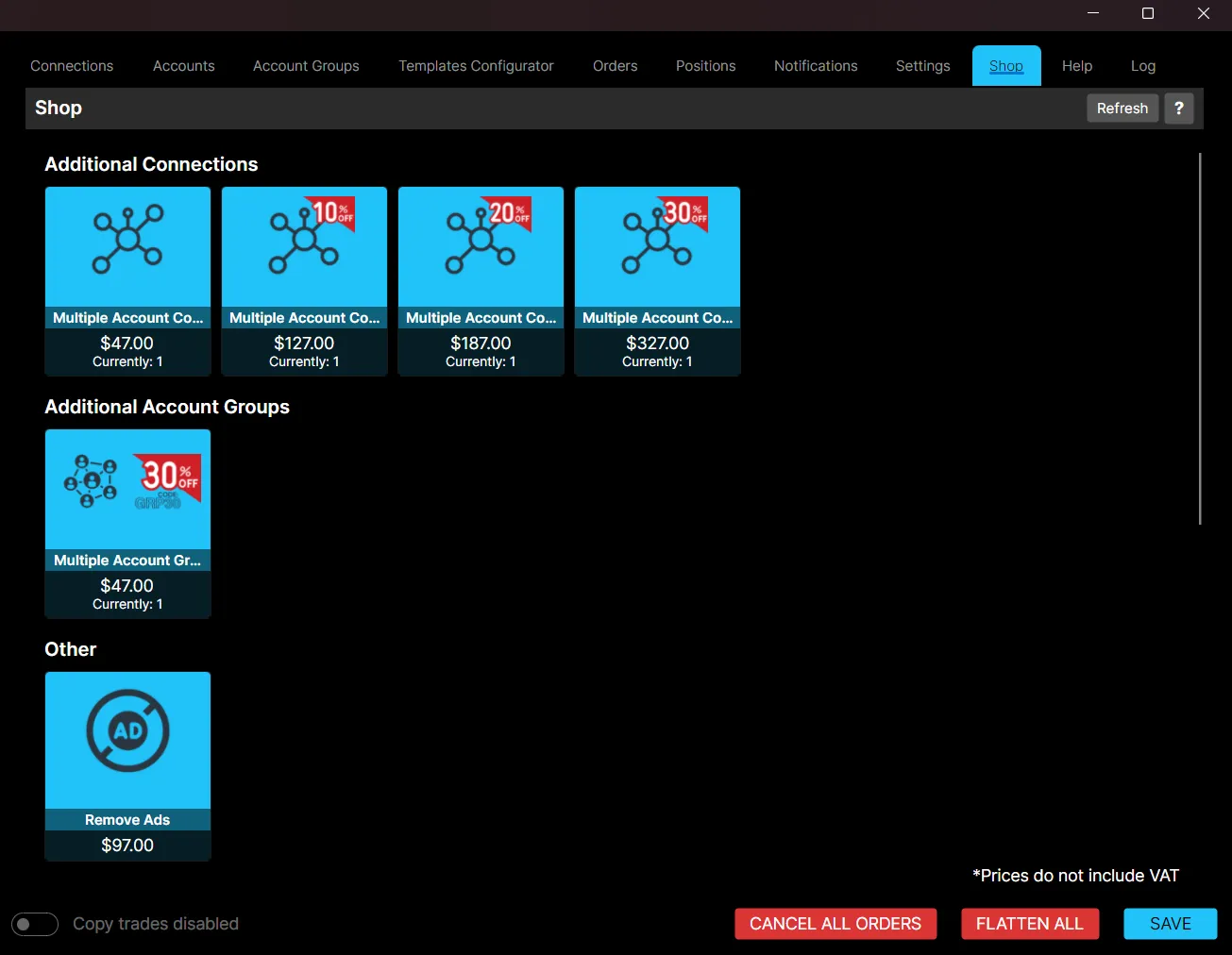
Available Products
Additional Connections
Each additional connection lets you link another broker or prop firm account to the Copier, for example additional accounts with brokers like Rithmic or DXFeed, or with prop firms. More connections give you more flexibility to manage multiple setups at once.
Additional connections are sold in increasing tiers, with a larger discount at each tier. The Shop shows 10%, 20% and 30% off on the higher tiers.
Note: A NinjaTrader Direct connection also counts as one of these additional connections, which is worth keeping in mind when planning how many you need.
Additional Account Groups
Each additional Account Group lets you organize accounts by trading style or risk approach, for example one group for aggressive strategies and a separate group for conservative trading.
You can create unlimited groups, but simultaneous activation is capped by the base group plus any account group add-ons you have purchased. Each add-on allows one more leader to run at the same time.
Remove Ads
A one-time purchase that lets you toggle ads on or off in the Copier interface. Once purchased, this remains in effect permanently.
Current Usage
Each product card shows how many you currently have, displayed as “Currently: N”, so you can see your existing count before purchasing more.
Purchasing
Select a product card to purchase it. Payments are completed securely via Stripe using a credit or debit card.
Note: Prices shown do not include VAT. EU customers will have VAT added at checkout, so the final charge may be slightly higher. See the pricing page for current prices.
After completing a purchase, your license or account is typically updated automatically. If a newly purchased feature does not appear right away, click Refresh, or restart TradeCopier and sign in again.
Best Practices
- Ensure you are signed in before accessing the Shop.
- Check your Currently: N count before purchasing, to avoid buying more than you need.
- Click Refresh, or restart TradeCopier, if a new purchase does not appear immediately.