Reference
NinjaTrader 8 Connection
Install the ETP NT8 add-on and connect NinjaTrader 8 to TradeCopier directly, without a broker login, plus fixes for the common connection problems.
Last verified
The ETP NT8 add-on lets you connect ETP Trade Copier to NinjaTrader 8 and copy trades between accounts linked to your NinjaTrader setup. It manages trades across multiple platforms and accounts from one place.
Installing the NT8 add-on
- Download the NT8 add-on from the download page.
- Download and open NinjaTrader 8. Make sure the platform version is 8.1.0.0 or higher.
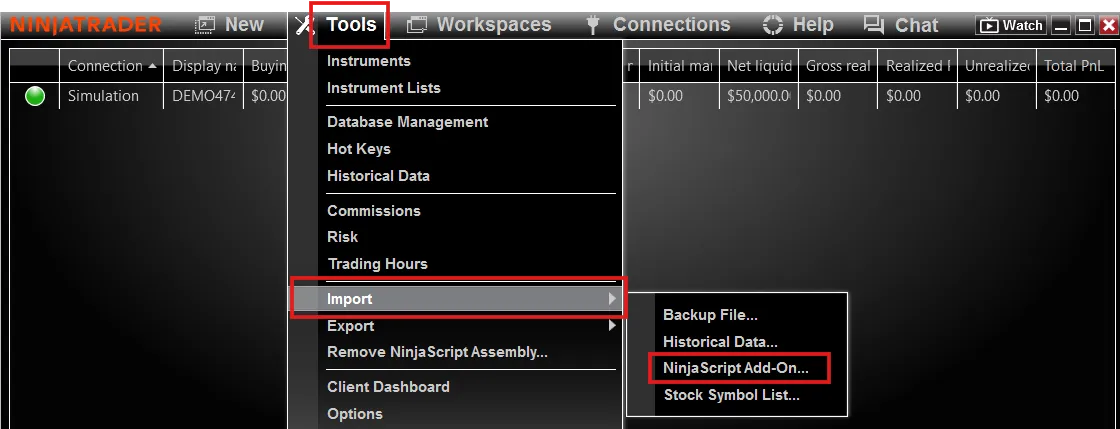
- In NinjaTrader’s Control Center, go to Tools > Import > NinjaScript Add-on.
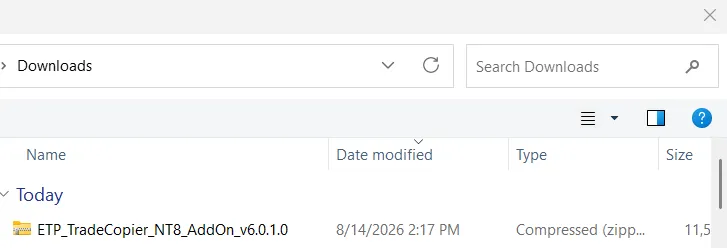
- In the file picker, find the ETP_TradeCopier_NT8_AddOn file and open it.
- Select Yes to authorize the connection, then restart NinjaTrader 8.
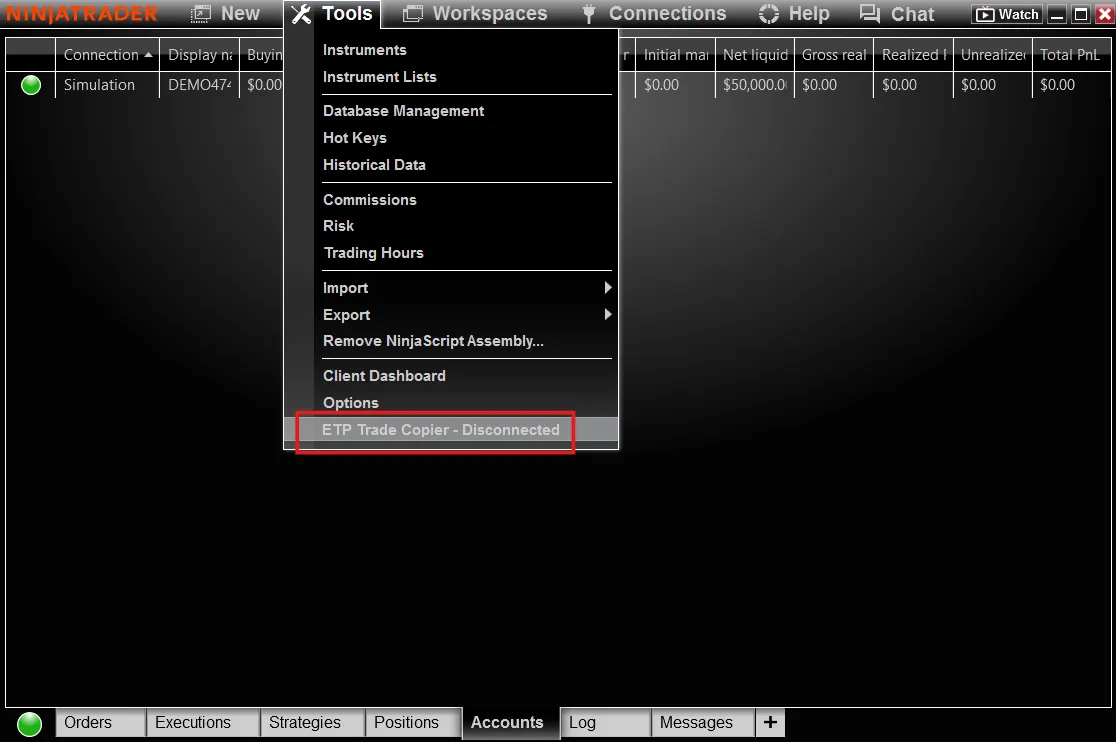
- Open the Tools menu again. You will see ETP Trade Copier - Disconnected at the bottom. Click it to enable the connection.
Connecting directly to NT8
NinjaTrader 8 can connect straight to ETP Trade Copier without going through a broker login.
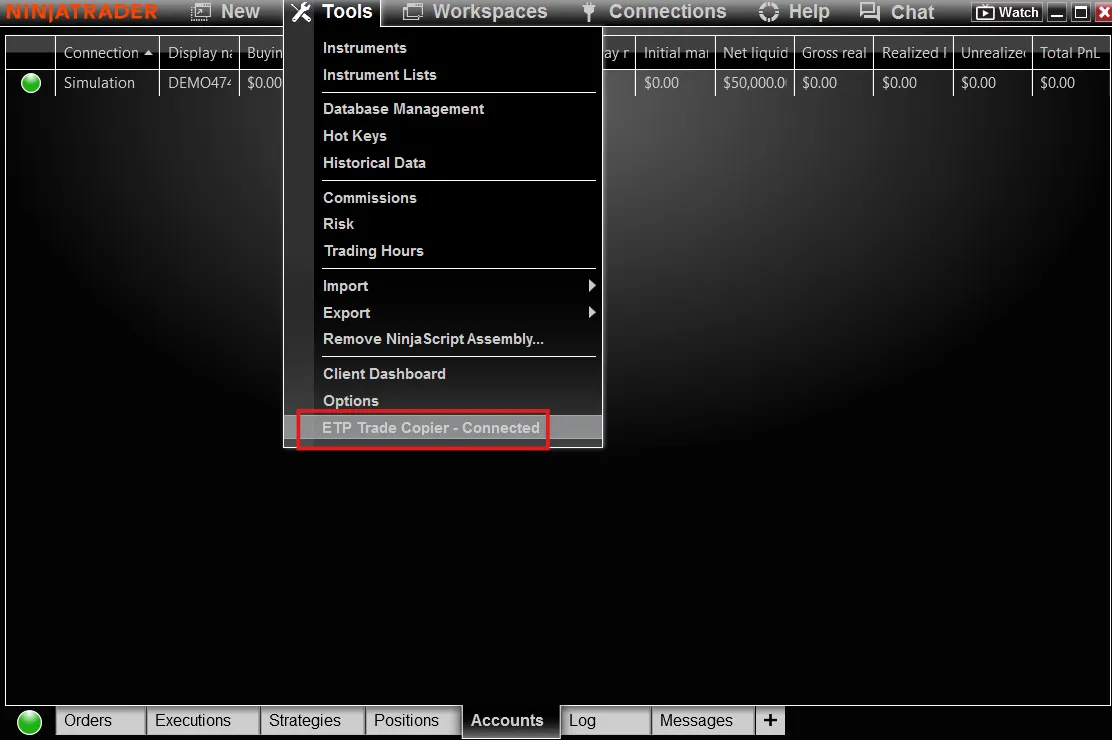
- In NinjaTrader’s Control Center, confirm you are connected to ETP Trade Copier under the Tools menu, and that you have an active market data connection under the Connections tab.
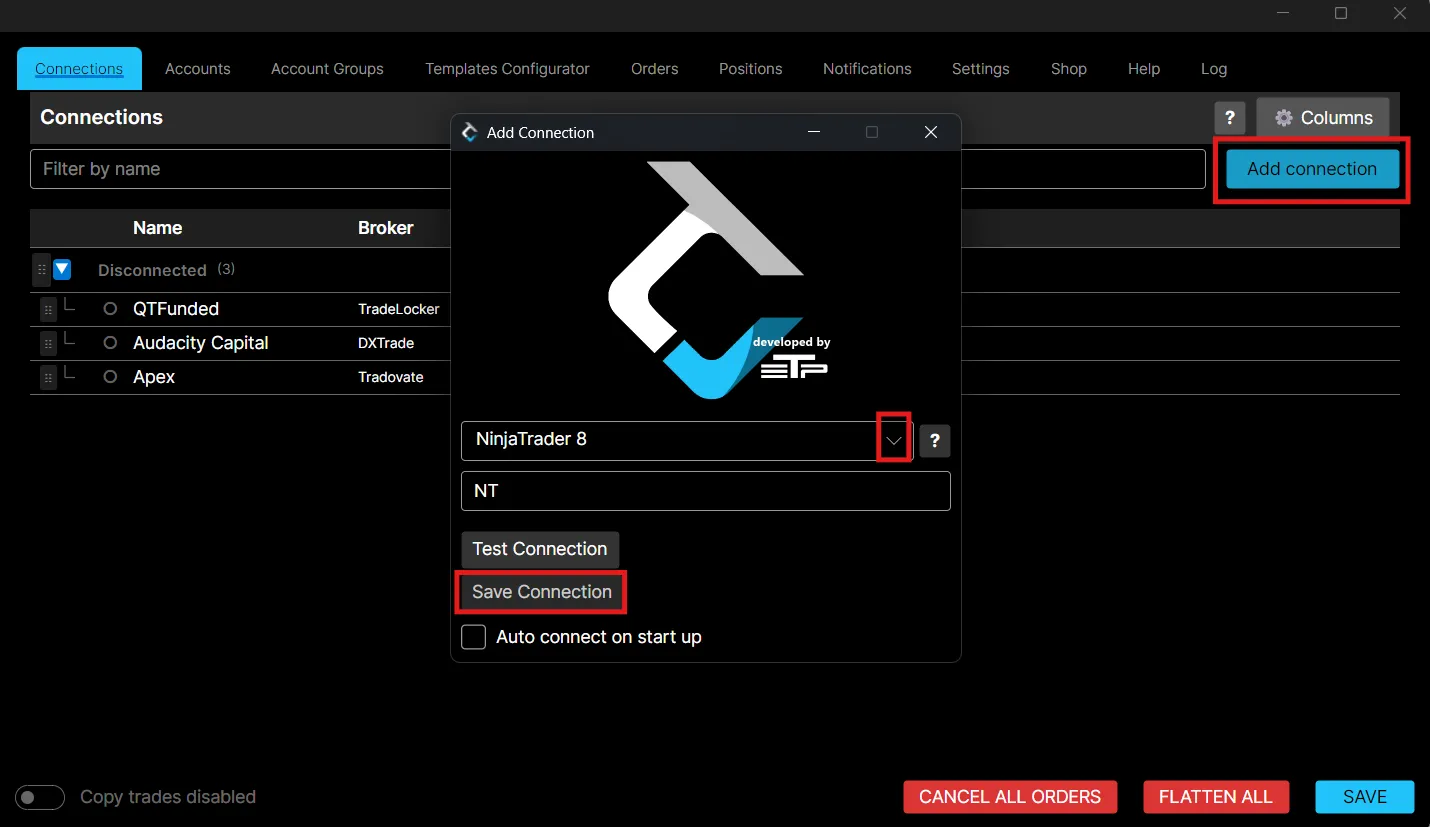
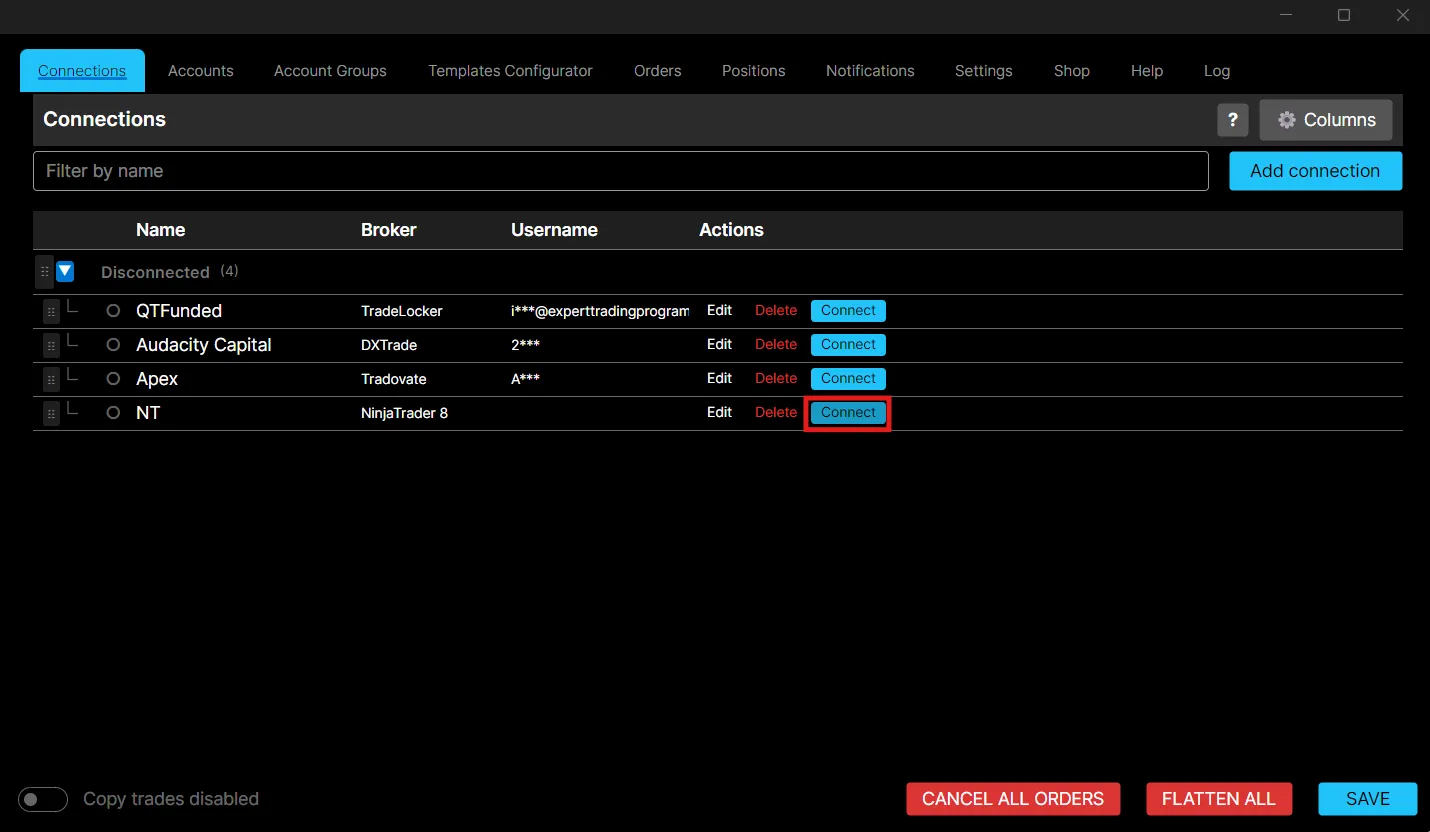
- In ETP Trade Copier, add a new connection for NinjaTrader. Because this is a direct integration you can leave the Username and Password fields empty. Select NinjaTrader 8 as the broker, save the connection, then connect it.
Troubleshooting
The NT8 direct connection fails
This usually means NinjaTrader is not on a version compatible with TradeCopier. Update NinjaTrader to the latest supported version.
Non-Rithmic NinjaTrader accounts
Non-Rithmic NinjaTrader accounts work with ETP Trade Copier. Add them in NinjaTrader 8 first, then make the direct NT8 connection in TradeCopier as usual.
Missing DLL error after updating NinjaTrader 8
- Close NinjaTrader 8.
- Go to
C:\Program Files\NinjaTrader 8\binand copy Grpc.Core.Api.dll. - Paste it into
Documents\NinjaTrader 8\bin\Custom. - Reopen NinjaTrader 8. The error should be gone.
Best practices
- Keep NinjaTrader 8 on the latest supported version to avoid connection failures.
- Restart NinjaTrader 8 after installing or updating the add-on.
- Use the direct NT8 connection when you want to skip broker login credentials entirely.