How-To Guides
Set Up Your First Copy
Connect your brokers, organize leader and follower accounts, configure templates, and safely enable trade copying for your first ETP Trade Copier setup.
Last verified
Setting up ETP TradeCopier only takes a few minutes. Once you’ve signed in, you’ll complete five simple steps to configure your first trade copying environment.
This guide provides an overview of the setup process. Each step links to a dedicated guide with more detailed instructions.
Step 1 - Connect Your First Broker
Before TradeCopier can copy trades, it must connect to your trading platform.
Open the Connections tab and create a connection for each broker or prop firm you intend to use. Once connected, your available trading accounts will automatically be imported into TradeCopier.
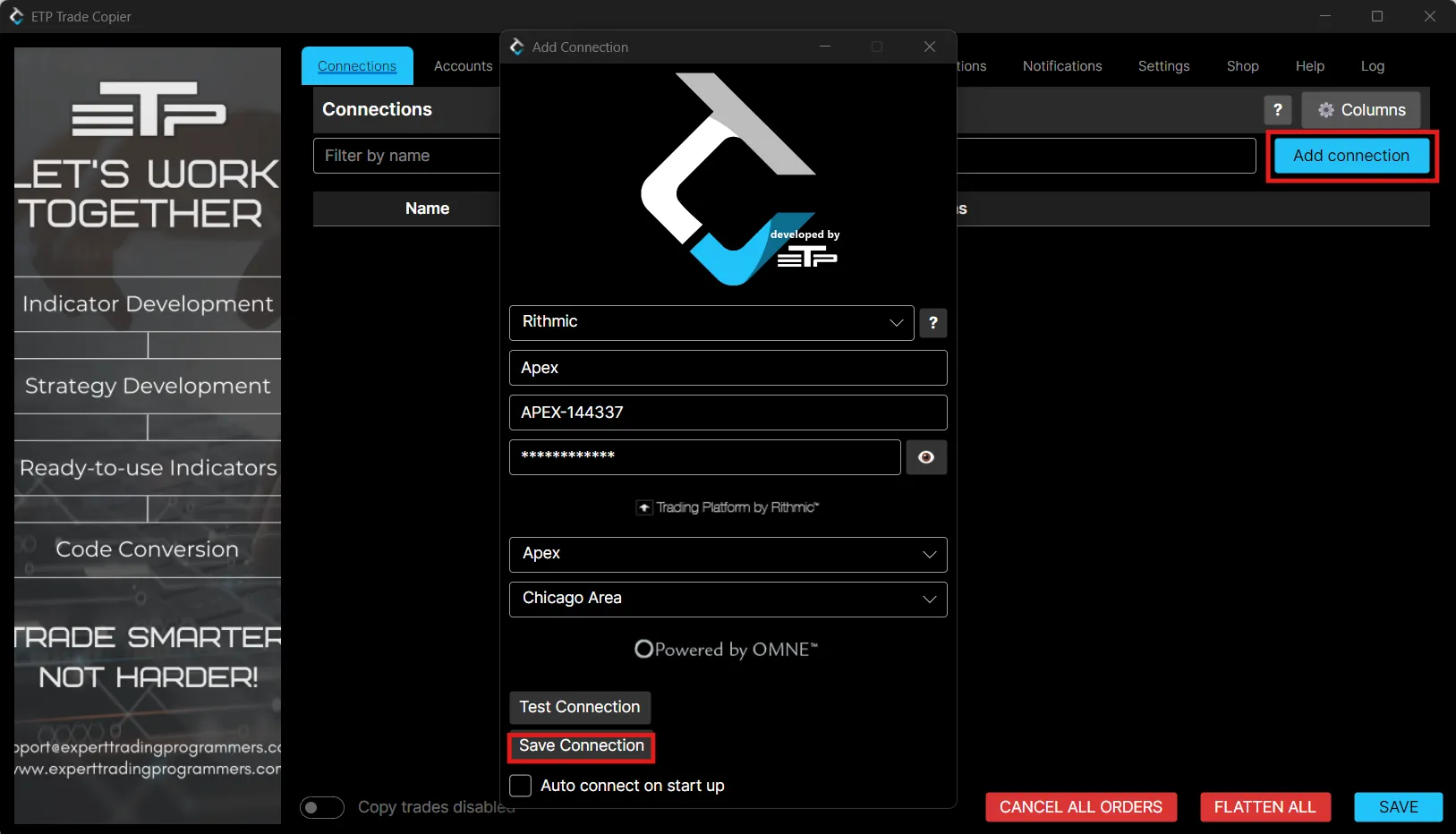
In more depth: Connect to your broker or prop firm.
Step 2 - Review Your Accounts
After creating a connection, open the Accounts tab to verify that all expected trading accounts have been imported successfully.
If an account is missing, confirm that the broker connection has been established correctly before continuing.
Step 3 - Create Your First Account Group
Account Groups determine which accounts copy trades.
Create a new Account Group, select a Leader account, then assign one or more Follower accounts.
You can create as many groups as you like. Your base group and any account group add-ons you have purchased set how many can run side by side.
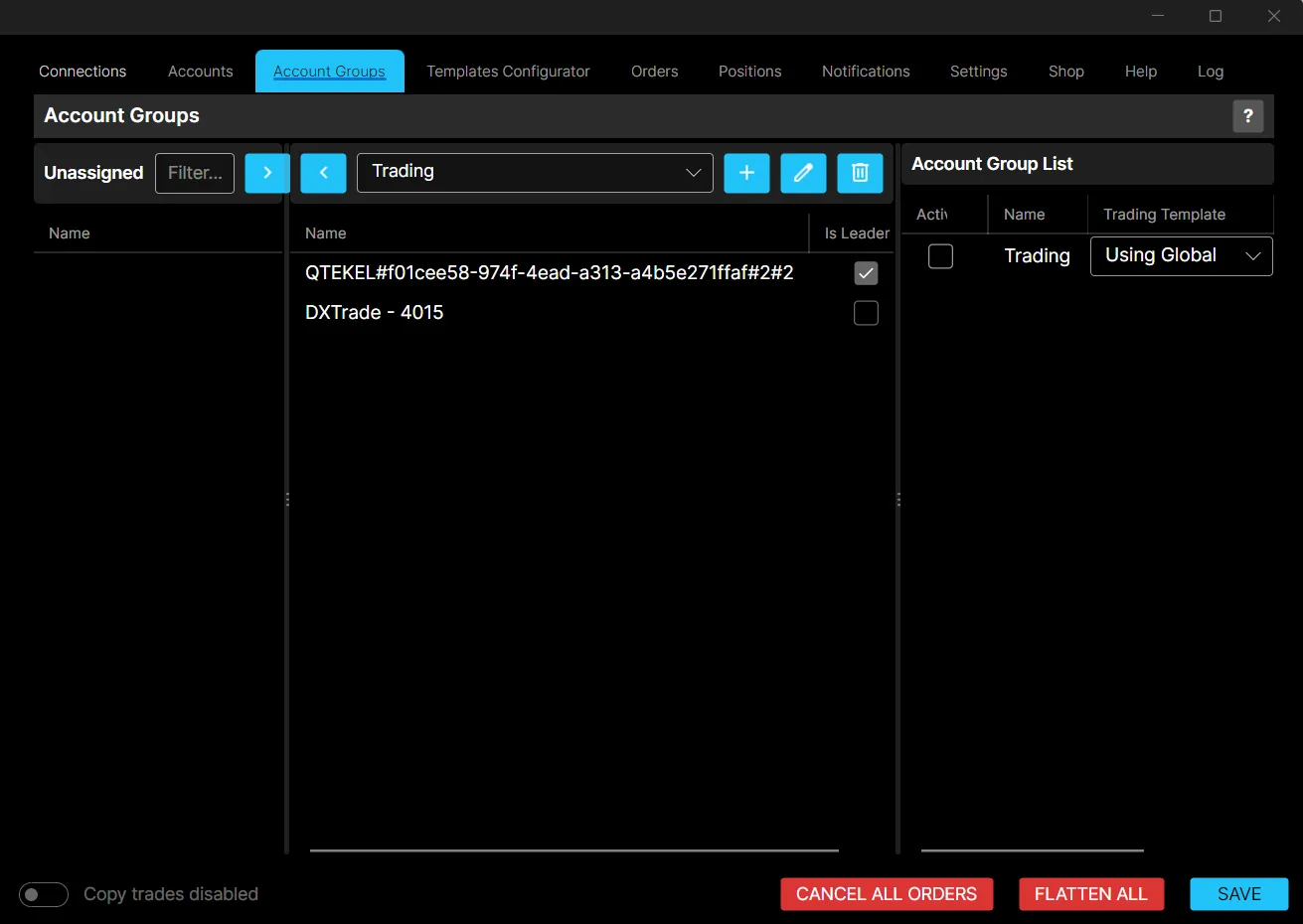
In more depth: Create an account group.
Step 4 - Configure Your First Template
Templates control how trades are copied between accounts.
Configure your preferred copy method, position sizing, and any additional copy rules before enabling trade copying.
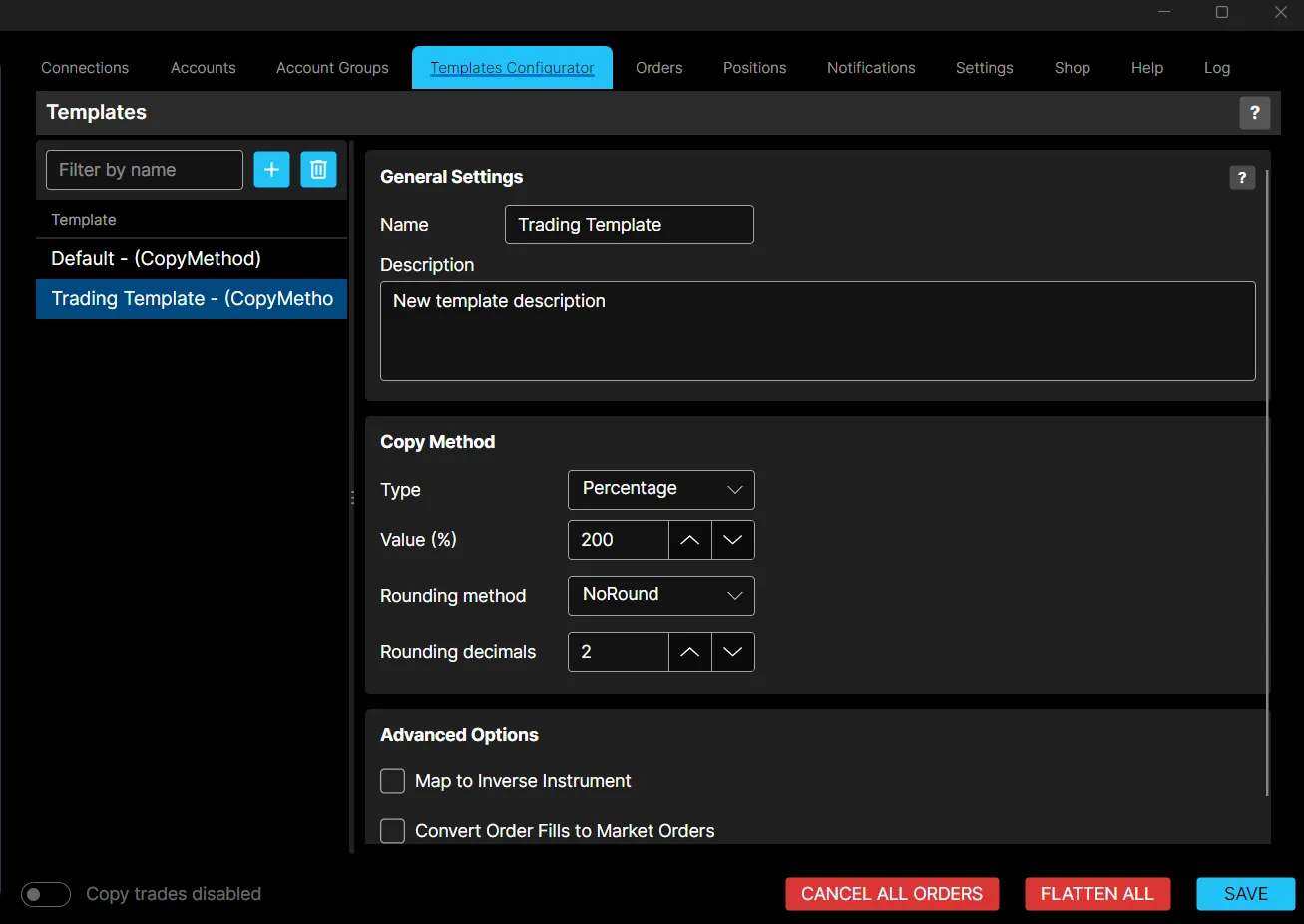
In more depth: Create a Template.
Step 5 - Enable Copy Trades
Once everything has been configured, enable the Copy Trades toggle located in the lower-left corner of the application.
When enabled, TradeCopier begins monitoring Leader accounts and automatically copies new trades according to your configured templates.
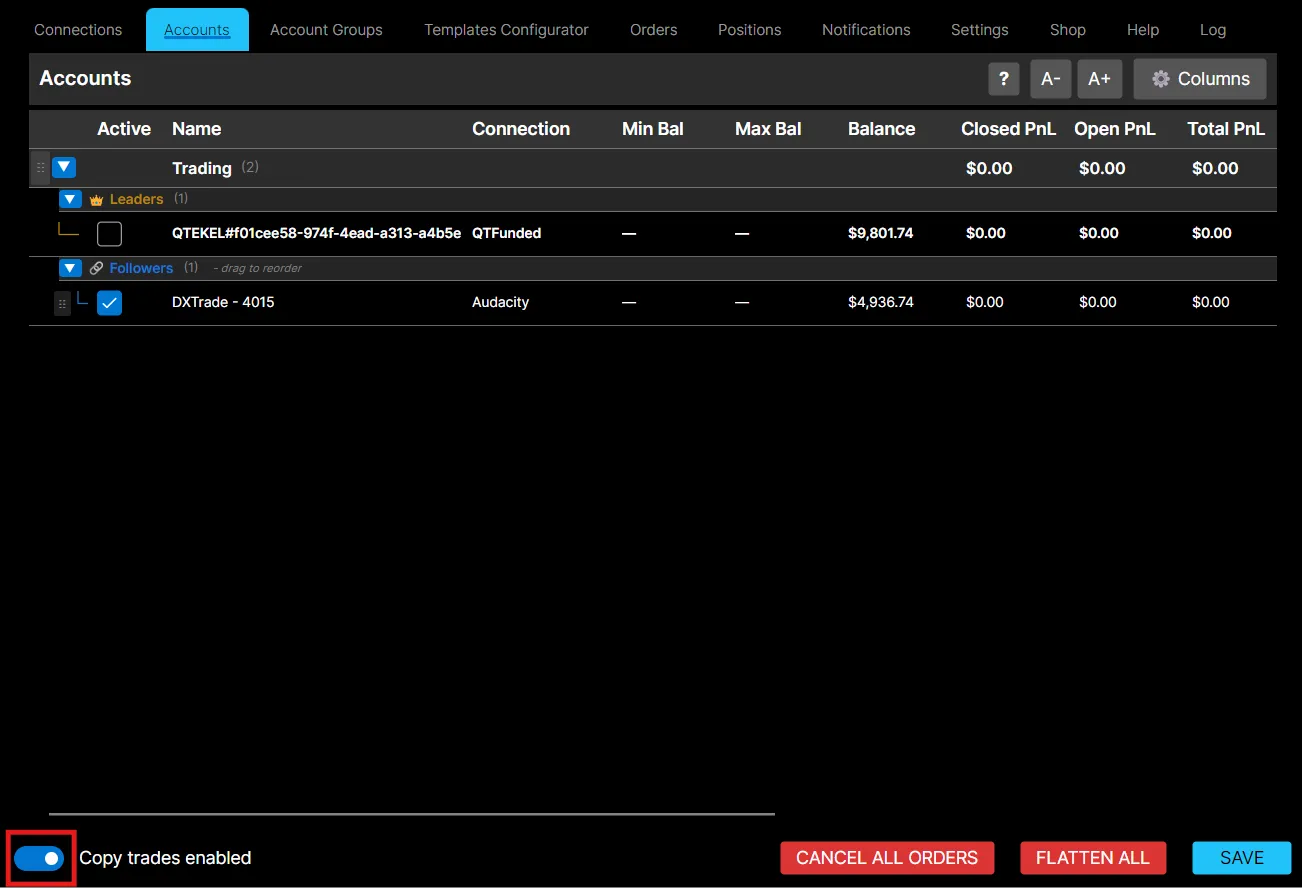
Remember to click Save after making any configuration changes.