Reference
Account Groups
Reference for the Account Groups page: unassigned accounts, creating a group, moving followers in and out, and assigning trading and risk templates.
Last verified
The Account Groups page is where you define which accounts participate in trade copying.
Each Account Group consists of one Leader account and one or more Follower accounts. When the Leader places a trade, TradeCopier copies that trade to every Follower in the group according to the assigned Template.
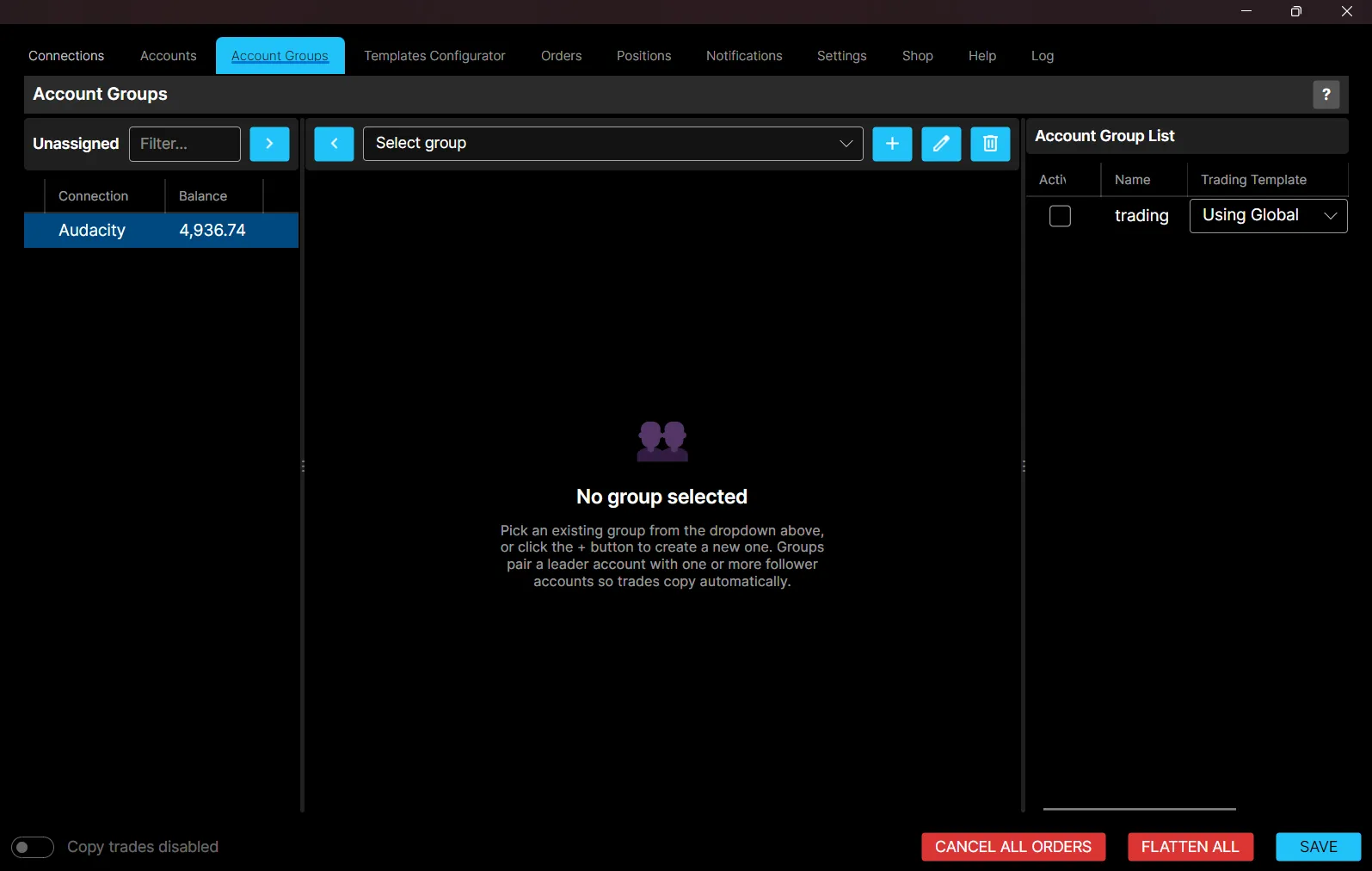
Unassigned Accounts
The Unassigned panel on the left lists every account not currently part of any group. Use the Filter field to search by name or connection.
Note: If Allow Accounts to be part of multiple groups is enabled in the Settings tab, an account can still appear here even after it has been added to another group.
Creating an Account Group
To create a new Account Group:
- Click the + icon.
- Enter a Group Name.
- Select the Leader Account from the dropdown. This account will be the source of trades copied to its followers.
- Click Create.
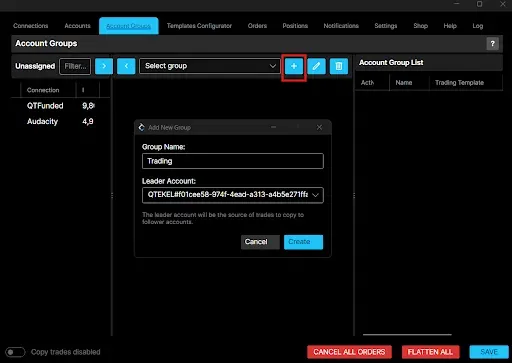
The new group appears in the group selector dropdown, and the Leader account you chose moves out of Unassigned into the group automatically.
Adding and Removing Followers
With the group selected in the dropdown:
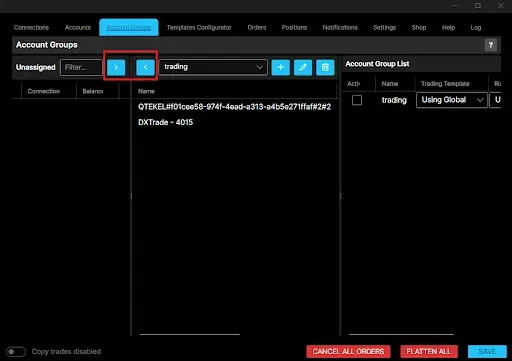
- In the Unassigned panel, check the box next to each account you want to add.
- Click > to move the checked accounts into the selected group as Followers.
- To remove an account from the group, check it in the group’s account list and click < to move it back to Unassigned.
Leader and Follower Accounts
Every Account Group contains:
- Leader: the account where trades originate.
- Follower: one or more accounts that automatically copy the Leader’s trades.
A group can only have one Leader at a time, while multiple Followers can be added depending on your trading setup.
Editing and Deleting a Group
- Rename: select the group from the dropdown, click the pencil icon, enter the new name, and confirm.
- Delete: select the group from the dropdown, click the trash icon, and confirm the deletion when prompted.
Account Group List
The panel on the right lists every group you have created, with:
- Active: check this box to enable the group for trading.
- Trading Template: assign a trading template to the group from the dropdown, or leave as Using Global to inherit the global default.
- Risk Template: assign a risk-management template to the group from the dropdown, or leave as Using Global.
To remove a template and revert to the global default, click the X next to it.
Assigning a Template
Each Account Group should have a Template assigned. If no template is assigned, the default template is used. The Template determines how trades are copied, including position sizing, copy method, and other copy rules. Templates can be changed at any time while trade copying is disabled.
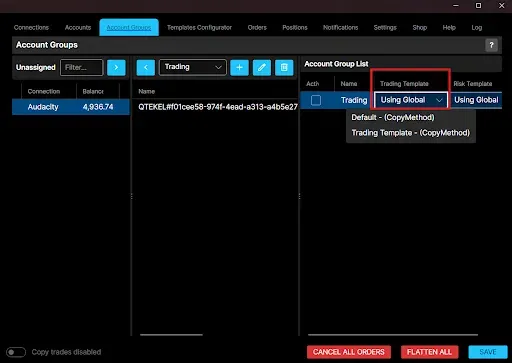
You can create unlimited groups, but simultaneous activation is capped by the base group plus any account group add-ons you have purchased.
Best Practices
- Use descriptive names for each Account Group.
- Verify the correct Leader and Follower accounts before enabling trade copying.
- Assign the appropriate Template to each group.
- Save your configuration after making any changes.