How-To Guides
Create an account group
Create an Account Group in ETP TradeCopier, choose the Leader and Follower accounts, and assign the Template that controls how trades are copied.
Last verified
Account Groups define how trades are copied between your trading accounts. Each group contains one Leader account and one or more Follower accounts.
When the Leader places a trade, TradeCopier automatically copies that trade to every Follower in the group according to the assigned Template.
Before You Begin
Before creating an Account Group, ensure that:
- You have connected at least one broker.
- Your trading accounts appear in the Accounts page.
- You have decided which account will act as the Leader.
Create an Account Group
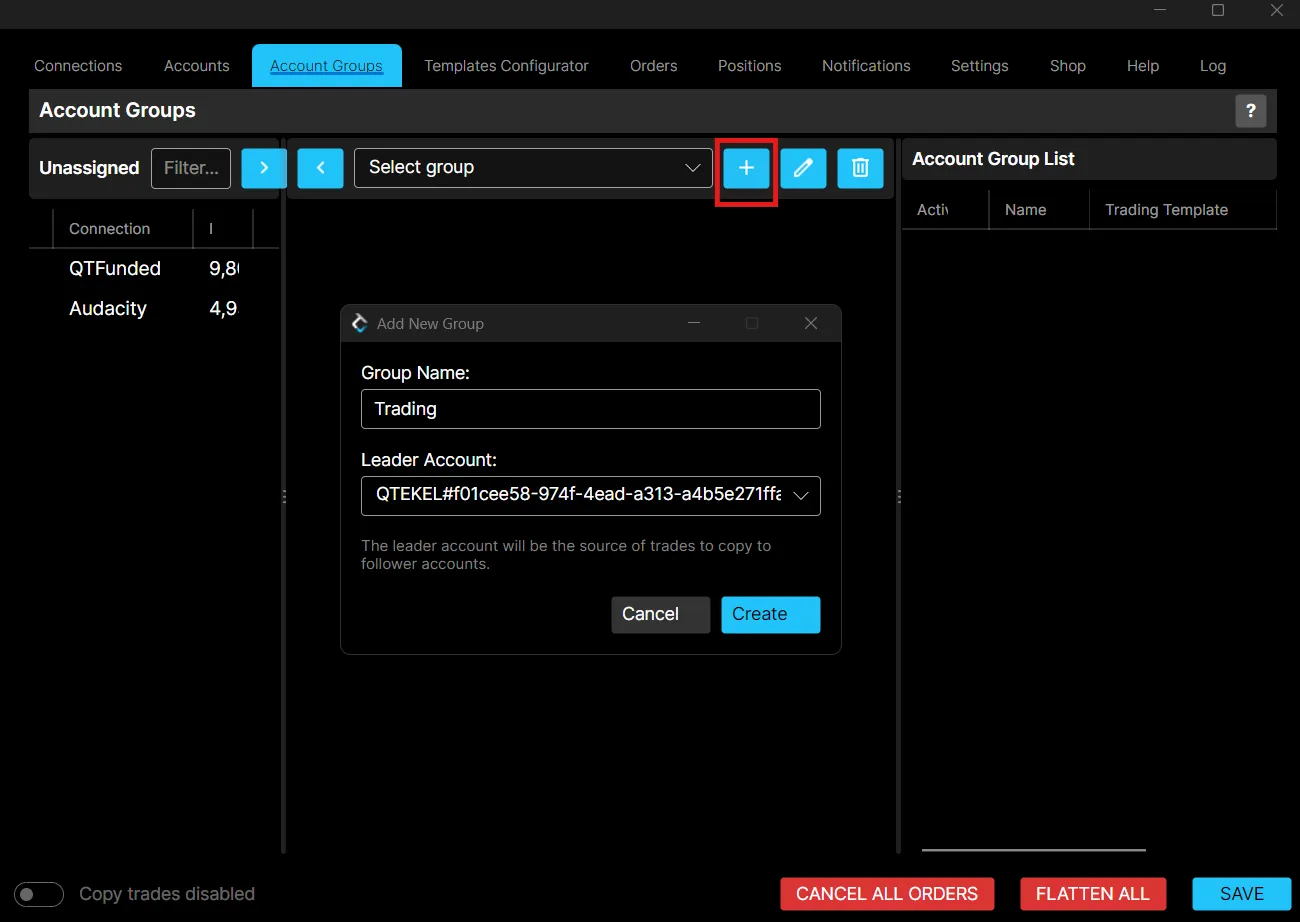
- Open the Account Groups tab.
- Click + to Add Group.
- Enter a name for the Account Group.
- Select the Leader account.
- Add one or more Follower accounts by clicking on the > button.
- Click Save.
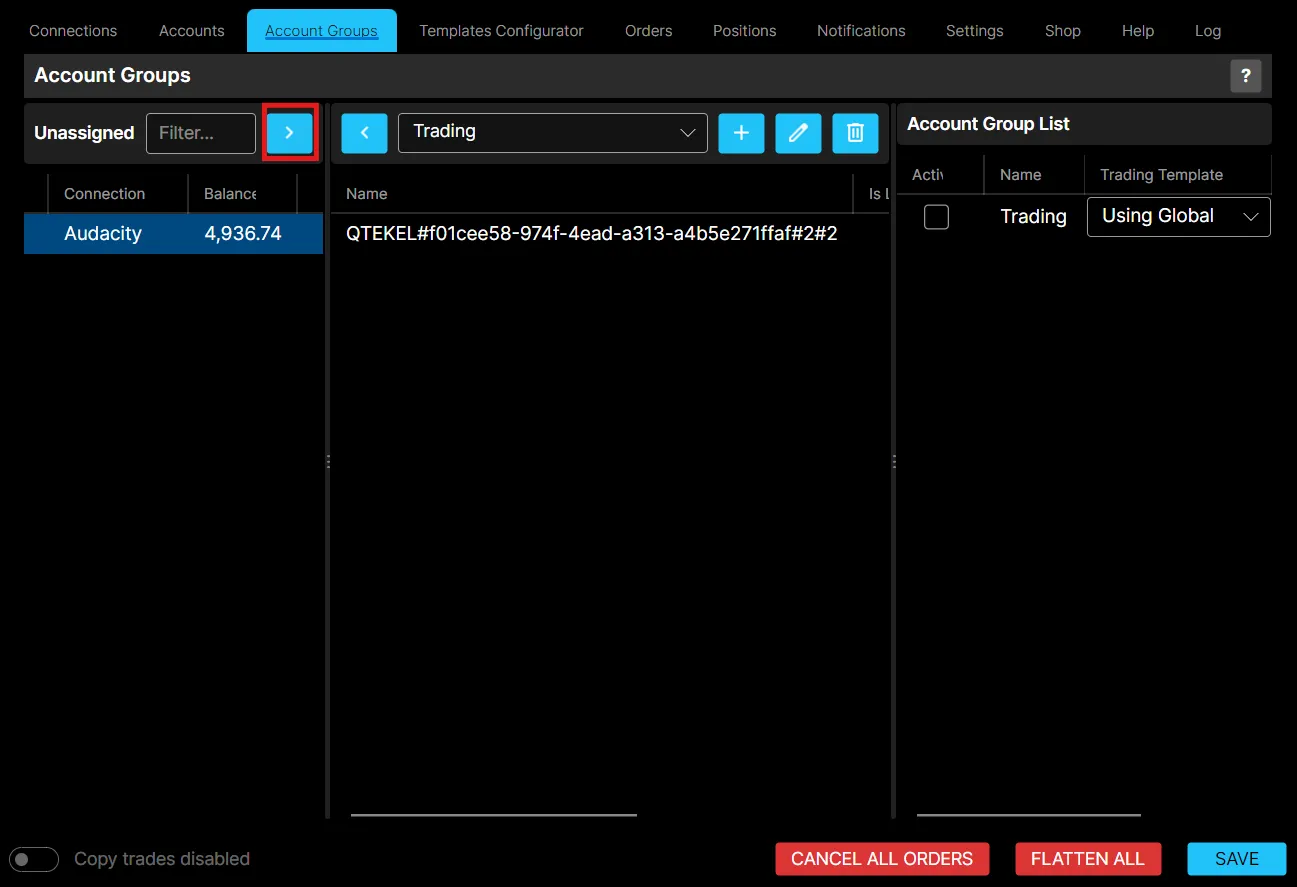
Once saved, the Account Group becomes available for trade copying.
You can create unlimited groups, but simultaneous activation is capped by the base group plus any account group add-ons you have purchased.
Leader and Follower Accounts
Each Account Group can contain:
- One Leader: the account that places the original trades.
- One or more Followers: the accounts that automatically copy those trades.
Every trade placed on the Leader account is processed according to the assigned Template before being submitted to each Follower.
Assign a Template
Each Account Group must have a Template assigned. Templates control how trades are copied, including:
- Copy Method
- Position Sizing
- Instrument Rules
- Risk Settings
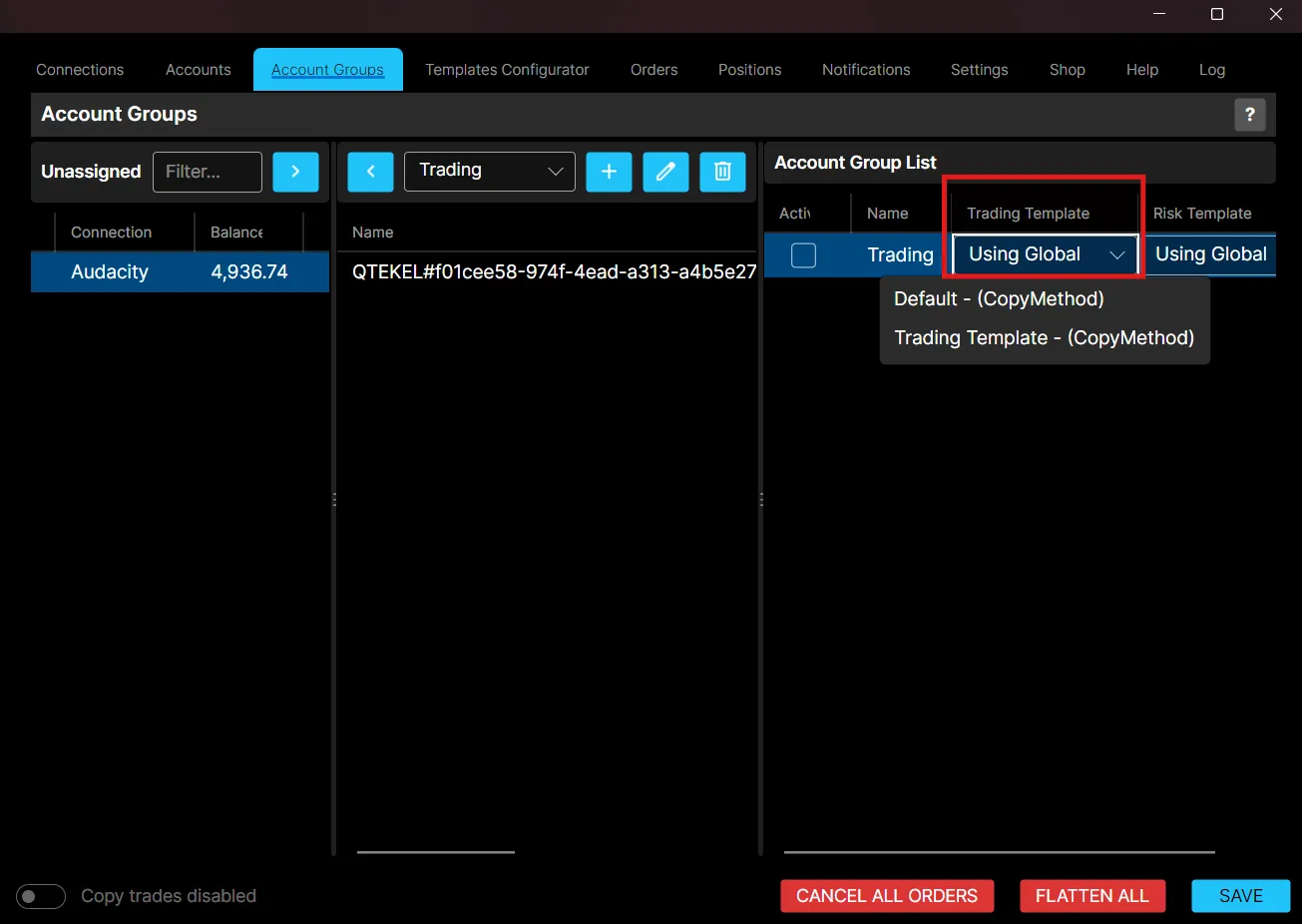
If no custom Template is required, you can begin with the default configuration and customize it later.
Best Practices
- Use descriptive names for Account Groups.
- Verify the correct Leader account before enabling trade copying.
- Test new Account Groups using simulated accounts before trading live.
- Click Save after making any changes.
Next Step
Once your Account Group has been created, continue with configuring your first Template before enabling trade copying.